
Dynamiczoom
Panel for Premiere Pro · After Effects soon
Resolve-style dynamic zoom inside Premiere Pro. Select a clip, choose a preset, click Apply.
₹599₹799Launch
macOS
Windowssoon
Small, focused tools for video editors. Smooth zooms in Premiere Pro, and a grade pack for DaVinci Resolve.
Pick a tool belowPanel for Premiere Pro · After Effects soon
Resolve-style dynamic zoom inside Premiere Pro. Select a clip, choose a preset, click Apply.

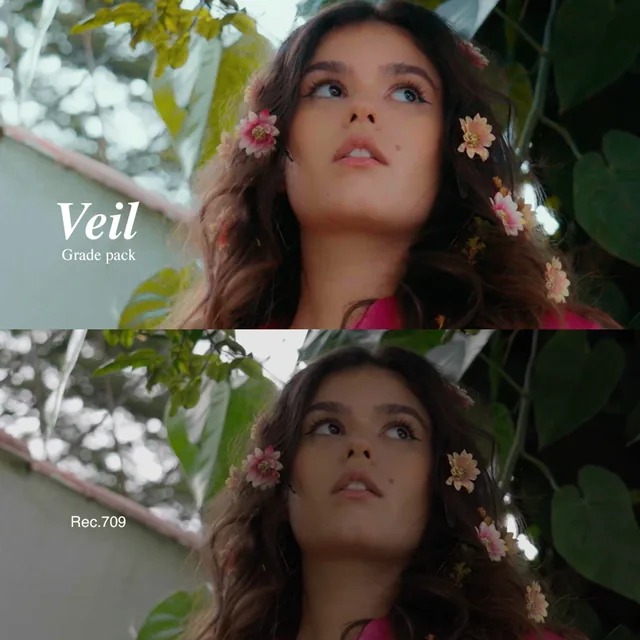
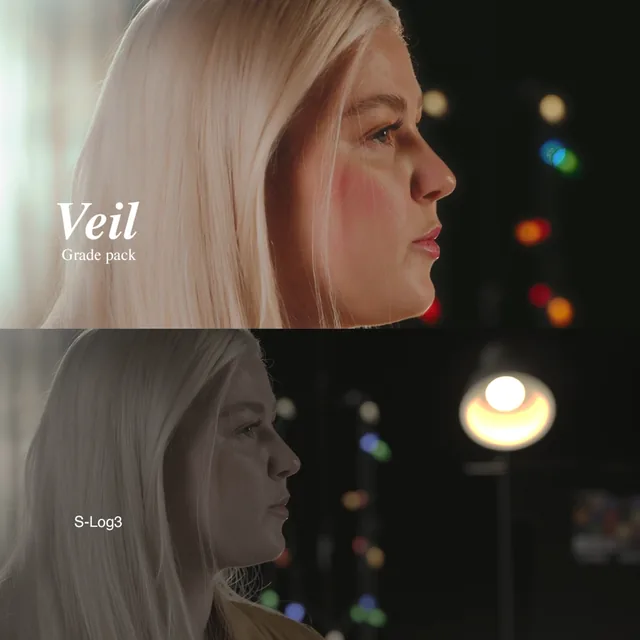 See the grade
Grade pack for DaVinci Resolve
Golden highlights, deep shadows, soft skin. A PowerGrade you bring into Resolve and make your own.
By hand it's six steps in Effect Controls. Here it's select, preset, Apply. Premiere gets real keyframes.
Panel for Premiere Pro · 1.2
Windows and After Effects versions are in progress.
Three clicks, then it stays live: change anything and Premiere updates.
Click it in the timeline. The panel loads the clip and its frame.
Push in, Pull out, Drift or Reveal. Or drag the start and end frames yourself.
Keyframes are written to the clip. Change anything later and Premiere updates live.
Real Premiere keyframes: the project opens and exports anywhere, with or without the panel.
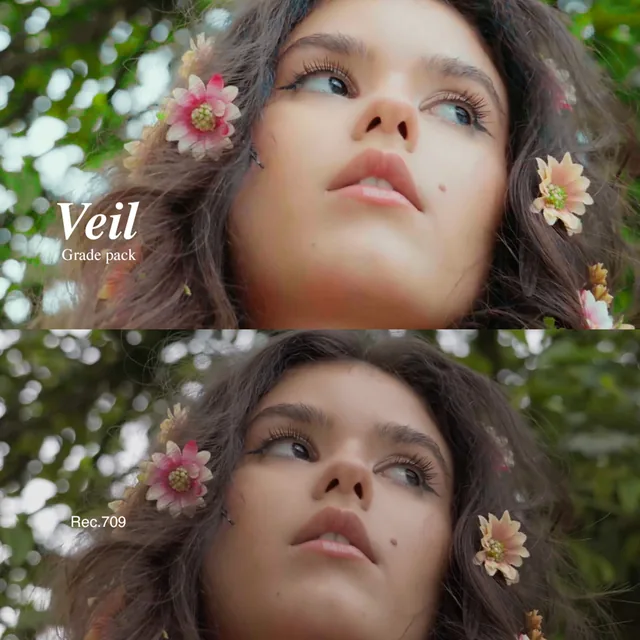
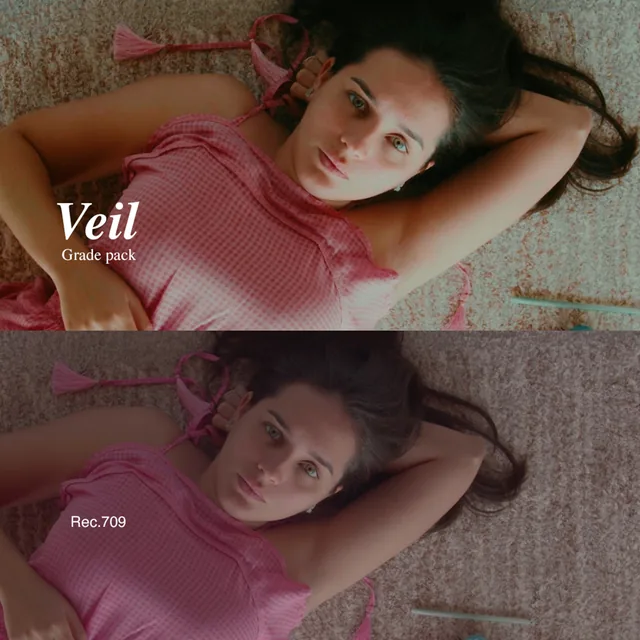
A warm, contrast-rich PowerGrade: golden highlights, deep shadows, soft skin. Start from it, finish in your style.
Grade pack for DaVinci Resolve
 Rec.709VEIL
DaVinci Resolve · instant download by email
Results depend on your footage, exposure and colour management. Adjust to taste.
VEIL on top, the original underneath. Swipe

The same panel and the same three clicks. Your Dynamiczoom key will work there too.
In progressPremiere Pro on Windows. In testing now.
In testingVEIL is the first. More looks for Resolve are being graded.
NextOpen one to see the steps. The full guide covers both, with fixes for common problems.
Within a few minutes of paying you get an email with your download link (and for Dynamiczoom, your licence key). Check spam too. Nothing comes? Email support@vaylumi.com with the email you paid with.
Select the clip, click a preset, click Apply. After that the clip stays live, so any later change updates it without pressing Apply again.
Premiere Pro 2024 or newer, on macOS 14 or newer (Apple silicon or Intel). The Windows version is in testing; join the list to hear when it's out.
One computer per Dynamiczoom key, for Premiere Pro and After Effects. Moving to a new computer? Email support and we reset your key so you can activate it again.
Yes. Dynamiczoom writes normal Premiere keyframes, so the project opens and exports on any computer, with or without the panel.
No, it's a PowerGrade for DaVinci Resolve: a .drx grade file with its .dpx Gallery still. You import it in the Color page Gallery and can change every node.
It's a starting point. The examples are Rec.709 and S-Log3 footage. Balance exposure and white for each shot, then adjust the grade to taste.
On a secure Razorpay page: UPI, cards and net banking. Prices are in Indian rupees and include everything; there's nothing more to pay later.
No. These are digital downloads, so all sales are final. Please check the requirements before buying. If the download doesn't reach you or the key won't activate, email us and we sort it out. Full policy.
Dynamiczoom ₹599 launch price for the first 50, then ₹799. Have a creator code? ₹499. VEIL ₹1,499. Pay once, yours for life.
Key and downloads by email in minutes